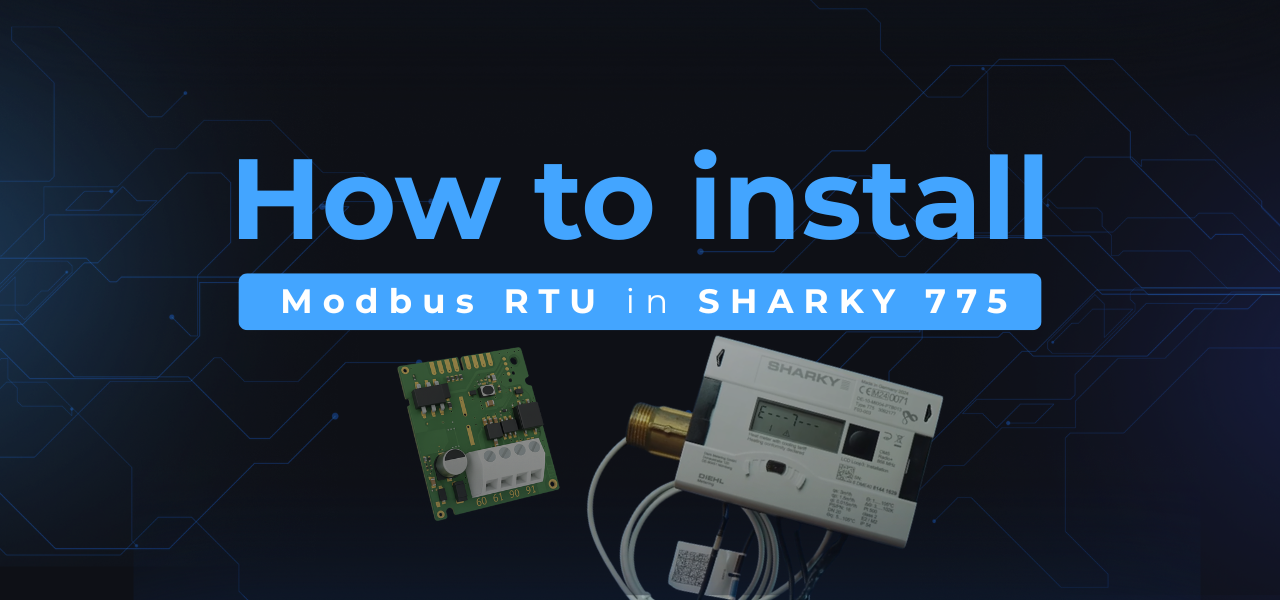
This guide provides a comprehensive, step-by-step tutorial for installing the DM-MBRTU Modbus RTU communication module into the SHARKY 775 ultrasonic energy meter. This guide will not only cover the installation steps but also provide insights into the features of the SHARKY 775 and the importance of the Modbus RTU communication in modern metering applications.
In addition to the installation process, understanding the benefits of using the DM-MBRTU module is crucial. The integration enhances data accuracy and enables real-time monitoring of energy consumption, which is essential for energy management and efficiency improvements in various applications.
Integrating SHARKY 775 ultrasonic energy meters with a Modbus RTU network is streamlined with the DM-MBRTU communication module. The module, designed for EIA-485-based Modbus RTU systems, facilitates the reliable and scalable readout of crucial metering parameters - including energy, flow, temperature, and multi-tariff data. It features a robust design with galvanic isolation, a status LED, configurable communication settings, and a simplified mechanical interface. This seamless integration is vital for companies looking to implement smart metering solutions, where data-driven decisions can lead to significant cost savings and operational efficiencies.
Furthermore, the DM-MBRTU module is equipped with advanced features such as configurable baud rates and data formats, which allow for customization based on specific application requirements. This flexibility ensures that the module can be adapted to various operational environments, making it an ideal choice for diverse industries.
This installation tutorial demonstrates how to correctly mount, connect, and verify the module.
Required components
A comprehensive understanding of these components will aid in a smoother installation process and ensure optimal functioning of the system post-installation.
- A SHARKY 775 heat meter
- The DM-MBRTU Modbus RTU module
- A 12-24 V AC/DC (SELV) power supply
- A PC with the NOITAC configurator software to verify communication
Installation procedure
- Connect the heat meter to a Power Supply
First, provide a stable 12-24 V AC/DC power supply to the energy calculator. This action ensures the device and its communication slot are prepared for module installation. - Insert the DM-MBRTU module into Slot 2
Slide the module into the designated interface slot until it is correctly seated. - Attach the Ribbon Cable
Connect the ribbon cable between the module and the heat meter’s internal socket. This establishes internal communication between the two components. - Connect the Power Supply to terminals 60 and 61
Route the cable from the power supply to terminals 60 (-) and 61 (+) on the module, ensuring correct polarity. - Connect the RS-485 Interface to terminals 90 and 91
Utilize the RS-485 line to connect to terminal 90 (A/+) and terminal 91 (B/-). Correct polarity is essential; swapped wires will inhibit communication. - Verify terminal order and wiring
Double-check that terminals 60/61 are positioned on the left and terminals 90/91 are on the right. Correct wiring is critical for stable Modbus RTU operation. - Perform a power check
Press the module’s test/reset button. The diagnostic LED should illuminate, confirming the module is receiving power correctly. - Close the Heat Meter housing
Once all wiring is secured, close the device to finalize the physical installation. - Locate the Modbus address using the serial number
The module supports Automatic Slave ID, where the last three digits of the heat meter’s serial number determine the Modbus address. Refer to the module’s manual for detailed information on this feature. - Confirm operational status
When wiring is correct, both the interface LED and the module LED will blink green to indicate active communication. - Verify communication with the NOITAC Configurator
Install and run the configurator software. A successful connection will confirm that the module is correctly integrated with the Modbus RTU network.
DM-MBRTU module specifications
The DM-MBRTU module provides a range of specifications that make it a reliable choice for various metering applications:
The DM-MBRTU module provides:
- A comprehensive Modbus register map (energy, temperature, flow, tariff data)
- Configurable baud rate and data format (1200-115200 bps)
- Galvanic isolation on the RS-485 interface for stable operation
- Support for periodical log readout
- A diagnostic LED and reset button for efficient maintenance
After confirming communication, consider documenting the setup process and the configurations used. Keeping a record can be invaluable for future troubleshooting and maintenance activities. This practice also enhances the efficiency of any subsequent installations or modifications.
The module operates within a temperature range of 0-55°C and can be stored between 5-35°C, ensuring stable performance in typical metering environments .
Need the module or technical documentation?
For orders, please contact your Diehl Metering sales representative. For technical inquiries, contact NOITAC at info@noitac.com.